
Why Am I Not Receiving GO!FIVE® Emails?

If you are not receiving emails from GO!FIVE®, it is likely that one of the following issues is occurring:

Incorrect email registered in the system

GO!FIVE® sends emails based on the information provided during user account creation. If there is a discrepancy between the registered email and the actual email, messages may not be delivered correctly.

To correct the user’s email, simply notify the system administrator or contact the support team at [email protected] so the issue can be reviewed and resolved.

GO!FIVE® was not marked as trusted in the mailbox

Another possible cause for the failure to receive emails is not marking GO!FIVE® emails as trusted. In this case, messages may be sent directly to the trash or spam folder.

To add GO!FIVE® as a trusted sender in Outlook or Gmail, follow these steps:

For Outlook

1 – On the homepage (top bar), click the trash icon and select Junk Email Options:
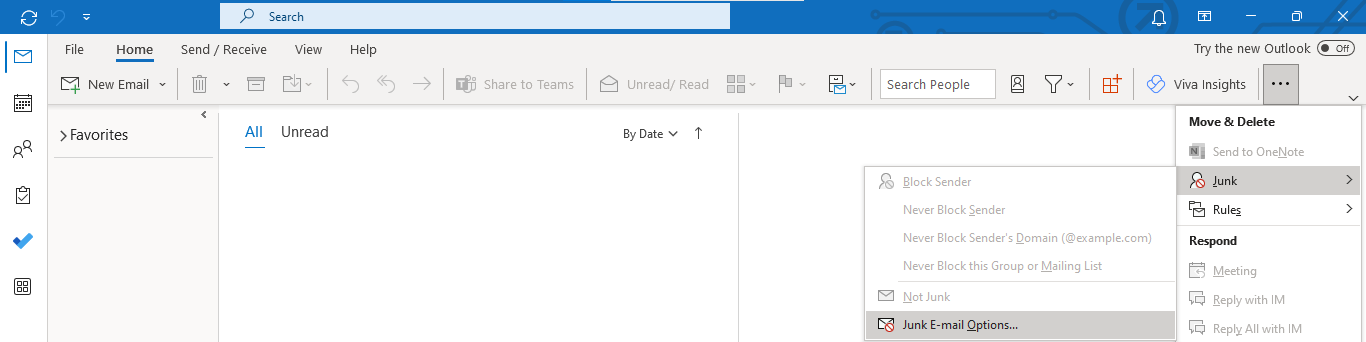
2 – Click on the Safe Senders tab.

3 – Within the Safe Senders tab, click the Add button to insert the email:

4 – Insert the email [email protected] and click the OK button:
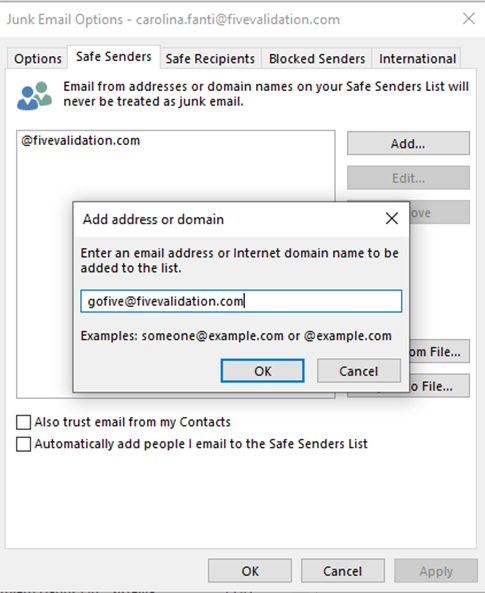
O atributo alt desta imagem está vazio. O nome do arquivo é outlook2.png

For Gmail

1 – In the search bar at the top, select the option Show Search Options:

O atributo alt desta imagem está vazio. O nome do arquivo é image-20230504-185410.png

2 – In the From field, add the GO!FIVE® email address: [email protected] and click Create filter:
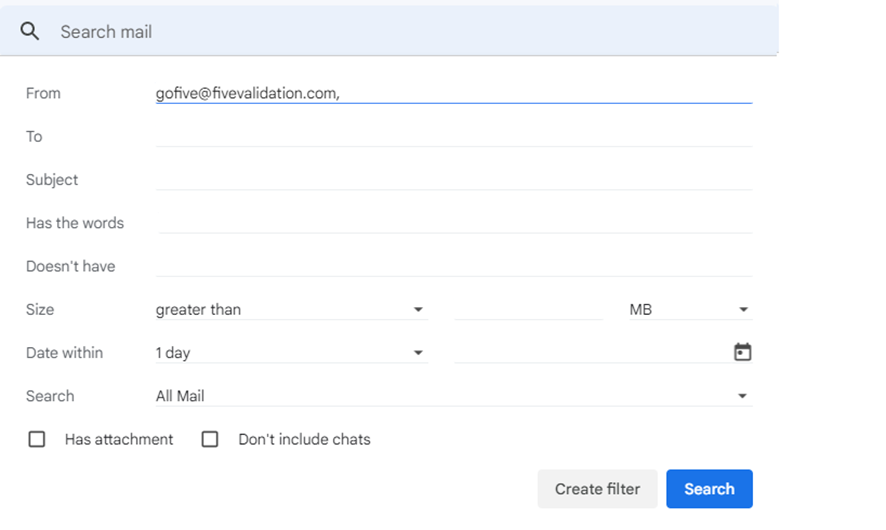
O atributo alt desta imagem está vazio. O nome do arquivo é image-20230504-185423.png

3 – Check the option Never send it to Spam and click Create filter.
Also, make sure no other option is selected that could block emails from GO!FIVE®.O atributo alt desta imagem está vazio. O nome do arquivo é image-20230504-185432.png
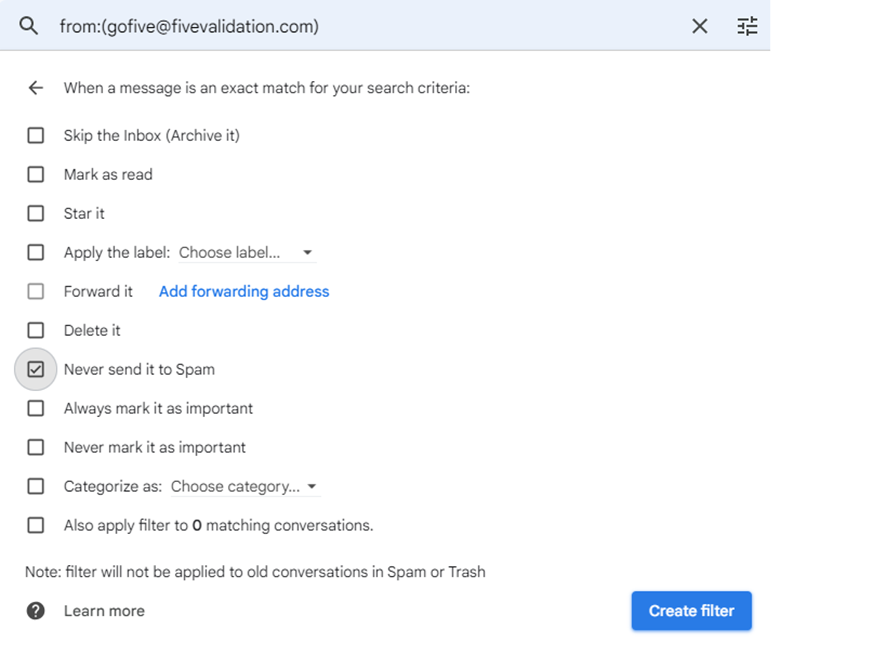
If the steps above do not resolve the issue, or if you use an email provider other than Outlook or Gmail, support from your company’s IT department will be required to add GO!FIVE® to the list of trusted senders.

error: Content is protected.